
Databricks For Dummies, Visually Explained
Databricks Cheatsheet: Visually Explained

A grocery chain wants to drop the price on strawberries the moment a store has too much stock in the cooler. But the system checking inventory only updates every four hours, kept slow on purpose so it doesn’t slow down the checkout registers. So it discounts cartons that already sold out, and leaves prices unchanged on ones about to spoil. Nobody did anything wrong here. The system is just too slow for the job it’s supposed to do.
Databricks exists to close gaps like this one. Not by making the old setup faster, but by questioning why transactional systems (the ones handling checkouts) and analytical systems (the ones tracking trends) need to be separate in the first place.
What Databricks actually is
Databricks sells one core bet: your operational data and your analytical data should live in one place, governed by one set of rules, queryable by both humans and now autonomous agents, without anyone building a pipeline to shuttle data between them.
It started as a lakehouse company. The pitch was that you could get warehouse-style structure, schemas, ACID transactions, fast SQL, on top of cheap object storage instead of paying warehouse prices for warehouse lock-in. That was already a real improvement over the old split between data lakes (cheap, messy, slow) and data warehouses (expensive, structured, fast). But a lakehouse still assumed your transactional database lived somewhere else and got copied in on a schedule.
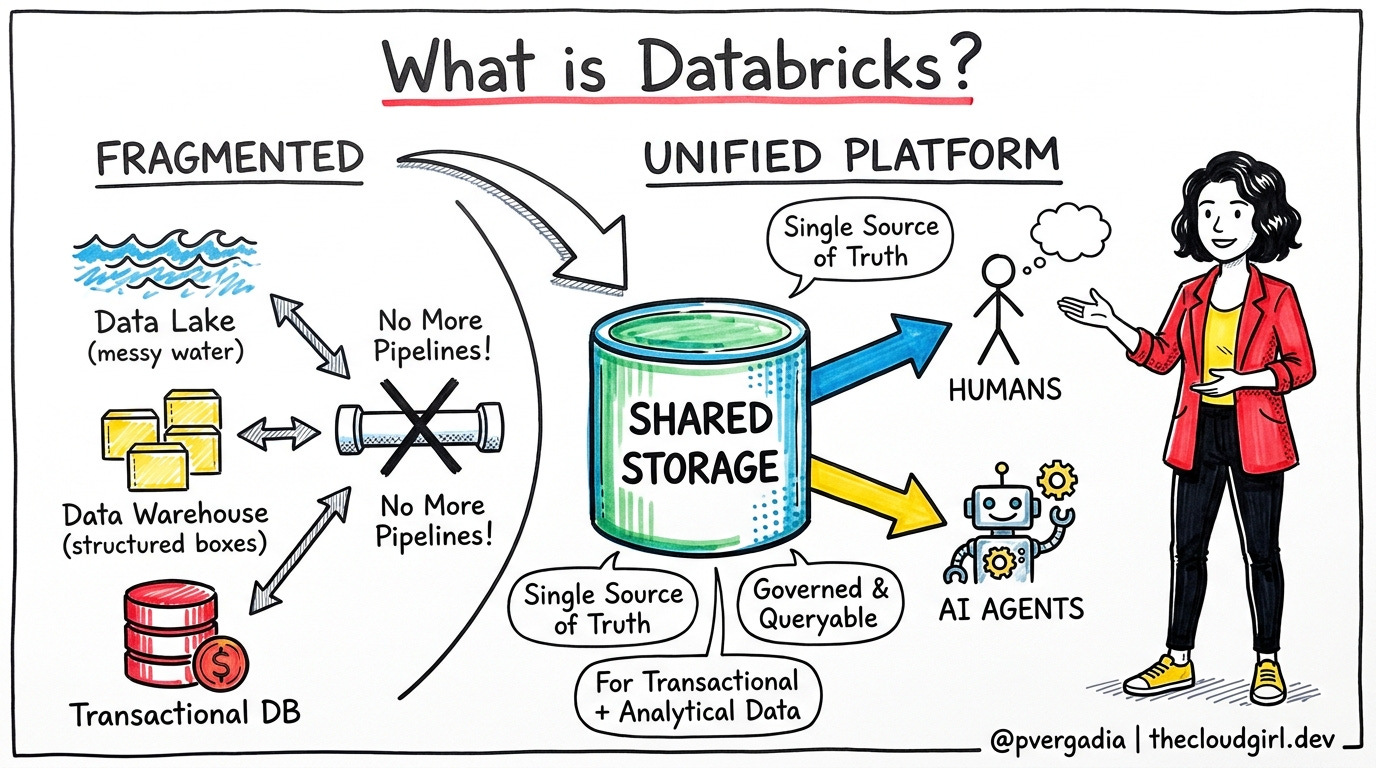
The current platform goes further. It folds the transactional database itself into the same storage, governs every model and every tool call through one gateway, builds a live map of what your business terms actually mean, and gives autonomous coding agents a shared, policed place to operate. This is the thesis: fragmentation is the problem, not the volume of data.
The Problem Databricks Solves
For four decades, systems that need instant reads and writes, like charging a credit card (OLTP - Online Transaction Processing ), and systems that need to scan millions of rows for a trend, like this month’s fraud rate by region (OLAP - Online Analytical Processing), have needed different physical storage.
Row-based storage is fast for grabbing one record.
Column-based storage is fast for scanning one field across millions of records.
You can’t optimize a single copy of data for both access patterns at once, so companies kept two copies and wrote pipelines to keep them in sync. To understand the problem and how Databricks solves for it with a sketch, keep reading!
